
You're checking slots on the US visa appointment portal (usvisascheduling.com), or you just spotted a slot and hit Submit a few times, and suddenly the whole site turns into this:
Error 1015 You are being rate limited The owner of this website (www.usvisascheduling.com) has banned you temporarily from accessing this website.
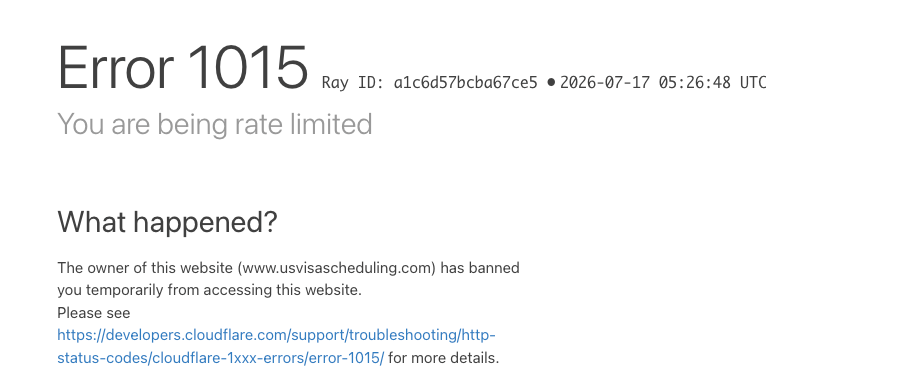
Key Point: Error 1015 means the site's protection layer (Cloudflare) thinks your network sent too many requests in a short time, so it is blocking you for a while. It is not an account ban — your account and any existing appointment are unaffected, and it clears on its own after some time. The most important thing: once you see it, stop refreshing. The more you refresh, the longer it lasts.
What Triggers Error 1015 on usvisascheduling?
usvisascheduling counts everything you do over a period of time: selecting a city, clicking a date, loading time slots, submitting, reloading the page. It all adds up. Too many actions in a short window and you get rate limited.
That explains the pattern that drives so many applicants crazy: why does 1015 always hit right when I click Submit?
- You've been switching between cities checking for slots, which already used up a lot of your allowance;
- A slot finally appears, and you rush through the date, the time, and Submit;
- Submit throws PSE0504, so you click a few more times…
- Those last clicks push you over the limit. The page turns into 1015, and the slot is gone.
Applicants in Beijing and Guangzhou have shared exactly this during slot releases: "nothing happened after I clicked Submit, I clicked again and got 1015." So the Submit button isn't what triggers the limit — it's everything you did before it, added together.
How Long Does Error 1015 Last?
- Usually a few minutes.
- In bad cases, around an hour. Many applicants report being blocked for about an hour ("came back an hour later and booked successfully"), and a troubleshooting guide on Reddit also says roughly an hour. We've seen it ourselves once, after the full page was loaded several times in quick succession.
- Occasionally longer. One applicant in India said it took nearly a day to clear, and warned others not to keep logging in during that time.
While you're limited, the site simply shows the 1015 page. Refreshing over and over only makes it last longer.
What Should I Do After Getting Error 1015?
- Stop right away. Don't refresh. Close the tab and try again after ten or fifteen minutes.
- Still seeing 1015? Wait a bit longer. Plan for up to about an hour.
- Once it clears, enter from the home page and slow down. Use the city dropdown to check dates instead of reloading the whole page.
- Can I switch networks? 1015 is applied to your network, so switching to a different one (mobile data, for example) usually opens the site right away. But don't keep hopping between VPN servers in different countries: logging in to the same account from several regions in a short time can trigger a much more serious account login block — see Login not allowed for your account at this moment.
Another Block: "Sorry, you have been blocked"
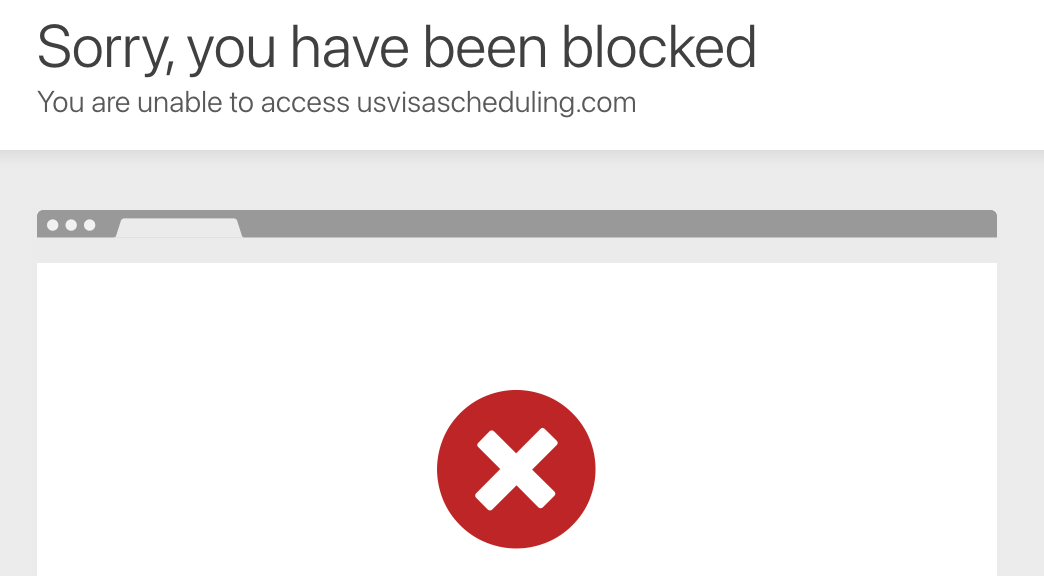
Sorry, you have been blocked. You are unable to access usvisascheduling.com
This one means the site's firewall is blocking your current network outright. It's not about how fast you clicked. It's common when you use a VPN, public Wi-Fi, or certain data-center IP addresses. Switching back to your normal home connection usually fixes it. You may also see it occasionally if you keep refreshing a special link left over from the waiting-room page — just go back to the home page and enter again.
Error 1015 vs Other usvisascheduling Limits
| Message | What's limited | When it clears |
|---|---|---|
| Error 1015 You are being rate limited | How fast your current network is sending requests | A few minutes to about an hour |
| Sorry, you have been blocked | The site's firewall has blocked your current network | Switch networks or try again later |
| Access limitation | Your account's calendar access | About 24 hours, see Access limitation |
| You have exceeded the limit for viewing this page | How many times you've opened the scheduling page | About 24 hours, see exceeded the limit for viewing this page |
How Do I Avoid Getting Rate Limited?
- Leave a gap between actions. Applicants in visa groups suggest waiting at least 10–30 seconds between clicks, and one troubleshooting guide recommends at least a minute between city switches.
- Use the dropdown instead of reloading the page. Switching cities on the page is enough to re-check dates.
- Don't keep clicking Submit after PSE0504. First check the home page to see whether the booking actually went through, then go back to the calendar — see PSE0504 Unable to book the appointment at this time.
- Don't check slots for many accounts on the same network at once. 1015 is counted per network, so everything done on that network adds up.
Worried About Getting Rate Limited? Let LuckyBee Handle It
The core dilemma of booking by hand: check too slowly and you miss slots, check too fast and you get rate limited. LuckyBee Expedite supports the usvisascheduling (CGI) system:
- 24/7 automatic monitoring with a controlled checking pace, so you don't get rate limited by frantic clicking;
- When a slot appears, it submits once, properly; if the system is busy, it retries or switches to another time as the situation requires;
- You're notified within 1–10 minutes of a booking, and you pay only after the appointment is booked — no booking, no charge.
FAQ
Q: Does Error 1015 mean my US visa account is banned? A: No. Error 1015 is a temporary rate limit that the site's protection layer puts on your current network. Your account and any existing appointment are unaffected, and it clears on its own after a while.
Q: How long does Error 1015 last on usvisascheduling? A: Usually a few minutes; in bad cases around an hour, and a few people have waited nearly a day. Don't keep refreshing or logging in while you're limited, or it will take longer to clear.
Q: Why do I get Error 1015 as soon as I click Submit? A: The limit counts all your actions over a period of time — selecting cities, clicking dates, loading times and submitting. Checking for slots beforehand already used up much of the allowance, so the final Submit click is what tips you over, which makes it look like "Submit triggers 1015."
Q: Does switching networks fix Error 1015? A: 1015 is applied to your network, so switching to a different network usually opens the site right away. But don't keep switching between VPN locations to log in to the same account — that can trigger an account login block.
Q: How long should I wait between actions to stay safe? A: There is no official number. Applicants in visa groups suggest at least 10–30 seconds between clicks, using the city dropdown instead of reloading the whole page as much as possible.