
You open the scheduling page on the US visa appointment portal (usvisascheduling.com), and instead of the calendar you get a blue box:
Access limitation Your attempt to view the calendar section was blocked due to apparent violation of Prohibited conduct clause of the Terms and conditions of the use of this system. Please visit the Terms and conditions page on the https://www.ustraveldocs.com site of the country to which you are applying and check Prohibited conduct to learn more.
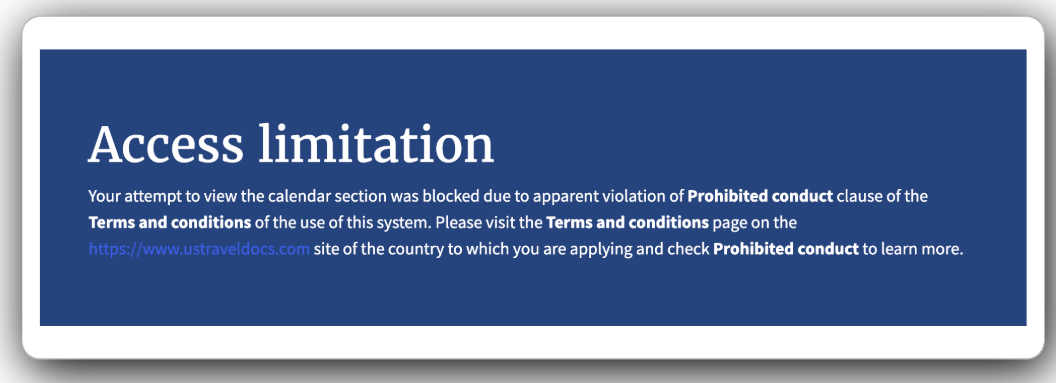
In plain terms: the system thinks the way you've been viewing the calendar breaks the "Prohibited conduct" section of its terms of use, so it has temporarily stopped showing you the calendar.
Key Point: Based on what we've observed, Access limitation blocks this account's calendar access, and it usually clears on its own after about 24 hours. During that time you can still log in and see the home page — only the calendar won't open. So far there is no evidence that switching networks or VPNs lifts it, so the only fix is to wait.
What Does "Access limitation" Block?
- It appears to be tied to the account, not the network. While blocked, logging in and opening the home page from the same network work normally — only this account's calendar won't load, which suggests the restriction sits on the account.
- Only the calendar is blocked. You can still log in, see the home page and view your existing appointment. You just can't get into the date-selection page, and the city dropdown is empty.
- It has a clear duration. In every case we've seen, it cleared about 24 hours after the block started. Trying during the block doesn't extend it, but it won't lift it early either — once the time is up, the calendar works again.
A September 2026 case from India on Reddit matched this: the applicant hadn't used any tools, tried a different phone, a different browser, incognito mode and a different network, and still couldn't open the calendar — then it came back on its own the next day. In July 2024, when the site first started cracking down on extensions, some people were blocked for more than ten days, but that was a different period and may not reflect how it works now.
Why Does usvisascheduling Block the Calendar?
The "Prohibited conduct" rules mainly target automated slot checking and agents operating accounts in bulk, but people checking manually get caught too: on Reddit, one applicant who only checked by hand on a phone still saw Access limitation.
Common triggers:
- Checking the calendar too often: refreshing again and again, switching cities over and over, re-checking dates in a short time;
- Checking too "mechanically": checking at exactly the same interval every time, like clockwork, which doesn't look like a real person;
- Several people or tools checking the same account: you, your family, an agent and a browser extension all checking at once add up to far more activity than one normal person.
What Should I Do After an Access limitation?
- Stop and wait about 24 hours. Retrying during the block doesn't help at all.
- Don't switch VPNs or networks to try again. The restriction appears to sit on the account, so changing networks doesn't solve it — and logging in from different regions in quick succession may trigger a more serious account login block (see Login not allowed for your account at this moment).
- Check whether anyone else is using the account. If you gave it to an agent or installed a slot-checking extension, stop them first, or you'll get blocked again soon after it clears.
- Slow down once it clears. Use the dropdown to switch cities and check dates, leave gaps between checks, and don't keep reloading the whole page.
An appointment you've already booked won't be cancelled because of Access limitation. It only stops you from viewing the calendar.
Does Switching VPN Fix Access limitation?
Some articles and posts treat Access limitation and Error 1015 as the same thing and suggest switching VPN servers. They are different:
| Message | What's limited | Does switching networks help? | When it clears |
|---|---|---|---|
| Access limitation | Your account's calendar access | No evidence it helps | About 24 hours |
| Error 1015 You are being rate limited | How fast your current network is sending requests | It may help | A few minutes to about an hour, see Error 1015 |
| You have exceeded the limit for viewing this page | How many times you've opened the scheduling page | No | About 24 hours, see exceeded the limit for viewing this page |
Check which one you're actually seeing before deciding what to do.
How Do I Avoid Getting the Calendar Blocked?
- Keep both the total number of calendar checks and how often you check under control — don't refresh nonstop;
- Don't check at perfectly regular intervals;
- Let only one person or one tool use each account;
- Save the intensive clicking for when slots actually appear, and check less the rest of the time.
Worried About Getting Blocked? Let LuckyBee Handle It
Checking by hand, check too little and you miss slots, check too much and the calendar may get blocked. LuckyBee Expedite supports the usvisascheduling (CGI) system:
- 24/7 automatic monitoring with a controlled checking frequency and pace, to avoid triggering access limits as much as possible;
- If the account's calendar does get limited, monitoring resumes automatically once the time is up — nothing for you to do;
- When a matching slot appears, it's submitted immediately, and you pay only after the appointment is booked — no booking, no charge.
While we're monitoring, please don't log in and check slots yourself at the same time, and don't hand the account to another service as well — two parties checking at once is the quickest way to get blocked. If you need to log in yourself, contact support to pause monitoring first.
FAQ
Q: How long does Access limitation last on usvisascheduling? A: Based on our observations, it usually clears on its own about 24 hours after the block started. Retrying during that time won't lift it early.
Q: Can I fix Access limitation by switching VPN or network? A: So far there is no evidence that you can. Access limitation restricts the account's calendar access, not your network. Switching networks may help with an Error 1015 rate limit, but there's no basis for it working on Access limitation.
Q: Will Access limitation affect an appointment I've already booked? A: No. It only stops you from viewing the calendar; your existing appointment is not affected.
Q: I only check manually — why did I get blocked? A: Checking by hand too often or at too regular an interval, or having family, an agent or an extension checking the same account at the same time, can all trigger it. Some people have hit it while checking purely by hand on a phone.
Q: Once I've been blocked, am I more likely to be blocked again? A: There's no reliable evidence of that so far. But if you go back to checking as often as before once it clears, you're likely to be blocked again.