
You open the appointment page on the US visa scheduling system (usvisascheduling.com), and the calendar and dropdowns are gone. All that's left is one yellow line:
You have exceeded the limit for viewing this page.
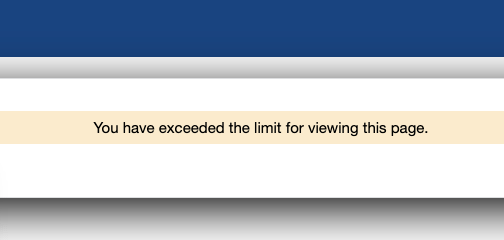
Key Point: This is not a ban. usvisascheduling limits how many times each account can open the appointment page per day. You've used up today's views, so the booking form is hidden. It comes back in about 24 hours, and your account and any existing appointment are not affected.
This is the CGI message people most often mistake for "I've been blocked."
What Is the Warning Before You Hit the Limit?
Before you run out, you'll first see a different message:
You are approaching the maximum number of times you may view this page. Please complete your transaction at this time.

It reads like "you're getting close," but in practice this is your last chance to see the calendar today. One more full page reload and it turns into "exceeded the limit."
When you see this message: don't reload the page. If there's a suitable slot on this page, finish your booking right here.
What Counts Toward the Limit, and What Doesn't?
| Action | Counts toward the limit? |
|---|---|
| Opening the appointment page after login | Yes, once |
| Reloading the appointment page, or opening it again | Yes, each time |
| Passing a "Verify you are human" check and landing back on the appointment page | Yes, once |
| Switching cities in the dropdown on the appointment page | No |
| Clicking a date on the calendar to see times | No |
| Going back to Home | No |
In short: only a full load of the appointment page counts. Staying on the page and switching cities or clicking dates to see times doesn't use up any views.
How Many Times Can You View the Appointment Page per Day?
There's no official number, and sources vary a lot: some agency articles say about 12 actions a day, while people on Reddit who build slot-checking tools say about 20.
What we've observed is that the count is per account, not per device or per person. Once we saw the warning on only the second time we opened the appointment page, because the rest of that day's views had already been used by other people logging into the same account: the applicant, a family member, or a previous agent.
So if you hit the limit "after barely refreshing," first think about who else is using the account.
When Does the Limit Reset?
There's no official answer. The community has two versions: one says it resets on the next day, US time; the other says it's 24 hours from when you first saw the message. Either way, it doesn't matter whether you used your views in 1 hour or in 20 hours — the result is the same.
One Reddit user hit the limit in the afternoon, tried again early the next morning (less than 24 hours later), and still couldn't see the calendar. To be safe, plan on waiting 24 hours.
While you wait, don't keep logging in to test it, and don't assume something is wrong with your account.
"ONE Rescheduling Attempt Remaining" but No Calendar Below It?
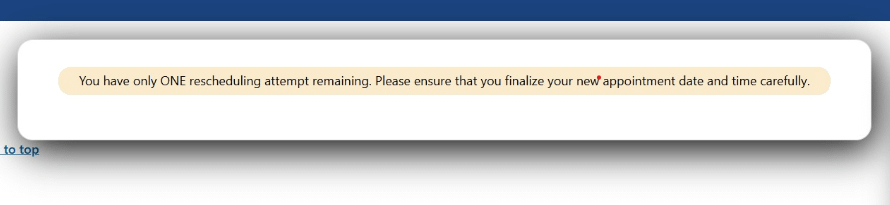
You have only ONE rescheduling attempt remaining. Please ensure that you finalize your new appointment date and time carefully.
Normally a calendar appears below this message, which is just reminding you that you have one reschedule left. If you see only this message and no calendar below it, community experience says it happens in two-step countries like India: you had just booked your OFC (biometrics) appointment, and at the moment you were sent to the interview page, you used up the day's last view. It doesn't mean your reschedules are used up — wait about 24 hours and check again.
How Do You Avoid Wasting Your Views?
- Once you're on the appointment page, don't reload it. Use the city dropdown to check dates again.
- If you've been idle too long and need to verify again, go back in from Home rather than reloading the appointment page over and over.
- Only one person should use an account. If you, your family and an agent are all checking, the views run out fast — and it can trigger a more serious login block. See Login not allowed: what to do.
- Stop when you see the "approaching" warning, and save the last view for when you're actually ready to book.
How Is This Different From Other usvisascheduling Limits?
| Message | What's limited | When it clears |
|---|---|---|
| You have exceeded the limit for viewing this page | How many times you can open the appointment page that day | About 24 hours |
| Error 1015 You are being rate limited | Too many actions in a short time | A few minutes to about an hour, see Error 1015 |
| Access limitation | The account's calendar section is blocked | About 24 hours, see Access limitation |
| Login not allowed for your account at this moment | The account's login is temporarily blocked | Uncertain, see Login not allowed |
Never Enough Views? Let LuckyBee Do the Checking
Checking by hand, a dozen or so views a day go fast — and slots can appear at any time. LuckyBee Expedite supports the usvisascheduling (CGI) system:
- 24/7 automatic monitoring of the cities and dates you choose, so you don't have to keep opening the appointment page yourself;
- When a matching slot appears, we book it immediately and notify you within 1–10 minutes;
- If you need to log in yourself during monitoring, ask our support team to pause first, so the account isn't used in two places at once;
- You pay only after the appointment is booked; no booking, no charge.
FAQ
Q: Does "You have exceeded the limit for viewing this page" mean my account is banned? A: No. It means you've used up the number of times you can open the appointment page that day. It comes back in about 24 hours, and your account and existing appointment are not affected.
Q: How many times a day can I open the usvisascheduling appointment page? A: There's no official number; reports range from about a dozen to about 20. The count is per account, so family members or agents logging into the same account use up your views too.
Q: Does switching cities on the appointment page count as a view? A: No. Only a full load of the appointment page counts. Staying on the page and switching cities or clicking dates to see times doesn't use up views.
Q: How long until the viewing limit resets? A: There's no official answer. Some say it resets on the next day, US time; others say it's 24 hours after you first see the message. To be safe, wait 24 hours, and don't keep logging in to test it in the meantime.
Q: I see "ONE rescheduling attempt remaining" but no calendar. Are my reschedules used up? A: Usually not. Community experience says this most often means you've just used up the day's views. Wait about 24 hours and check again.