
You finally see an open date on usvisascheduling.com (the CGI system used in India, Pakistan, the UAE, China and other countries), pick a time slot, hit submit – and get this:
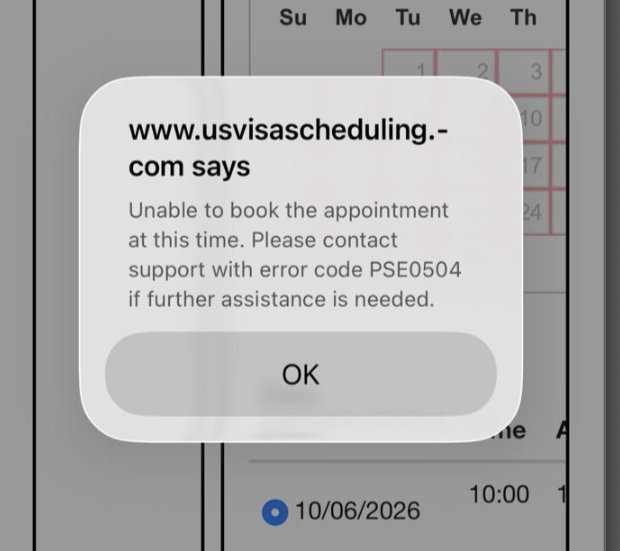
Unable to book the appointment at this time. Please contact support with error code PSE0504 if further assistance is needed.
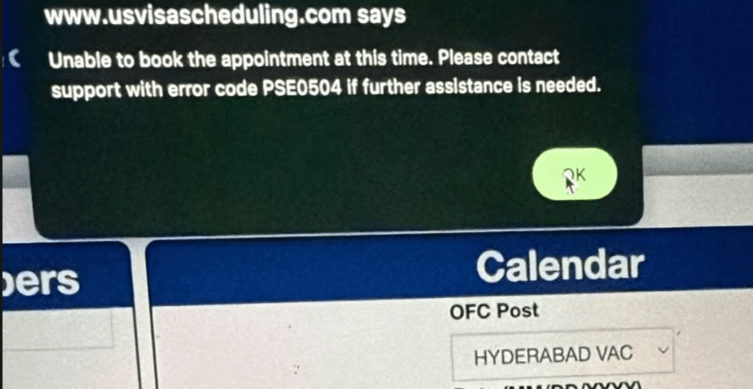
Key Point: PSE0504 is not an account ban, and the system isn't broken. It only means "this submission didn't complete" – the message doesn't say why. Before you do anything else, check whether you actually got the appointment.
What Does Error Code PSE0504 Mean?
Booking happens in three steps: pick a city to load dates → pick a date to load times → pick a time and submit. Each step has its own error code when it fails:
| Error code | When it appears | Meaning |
|---|---|---|
| PSE0501 | After choosing a city | Available dates failed to load |
| PSE0502 | After choosing a date | Available times failed to load |
| PSE0504 | After clicking Submit | The submission didn't return a normal result |
So PSE0504 only shows up at the very last step. Many people see the calendar and time slots load normally, then get the error only when they click Submit – on a different computer, phone or browser too.
For PSE0501 and PSE0502, see PSE0501 / PSE0502: dates or times won't load.
Did My Appointment Go Through After PSE0504?
It might have. PSE0504 means "the page didn't get the result of your submission", not "the booking failed". When the system is extremely busy, your submission may have been processed even though the result never came back to your screen. Some applicants have logged out after the error, logged back in, and found they were already booked.
So when you see PSE0504, do this first:
- Close the pop-up and go back to the Home page.
- Check whether Home shows a new appointment date, or whether you can open the appointment confirmation page.
- If you're already booked: don't book again. Submitting again on an existing appointment counts as a reschedule, and reschedules on the CGI system are limited.
- If you're really not booked: follow the case below that matches yours.
Case 1: PSE0504 When Slots Are Released (Most Common)
This is the case most people hit. When slots open in busy cities – Beijing, Shanghai, Guangzhou, Wuhan and others – many applicants report PSE0504 at the same moment on social media. The typical pattern:
- Dates show on the calendar and you can pick a time, but every submit returns PSE0504;
- The number of remaining slots on the page (say 46 or 72) stays the same for half an hour, yet nobody can book;
- After closing the pop-up and clicking a few more times, the page turns into Error 1015 and you're rate limited.
The reason is simple: the moment slots are released, hundreds or thousands of applicants, agents and booking tools are submitting for the same few slots. Seeing a slot doesn't mean you can book it, and the count on the page isn't real-time.
What to do:
- Don't keep clicking Submit. Rapid clicking is the most common cause of an Error 1015 rate limit. Many people get blocked for close to an hour, and by the time they're back the slots are gone. See Error 1015 "You are being rate limited" on usvisascheduling.
- Go back to Home, re-enter the calendar and pick again. This reloads the dates and slot counts, and works better than clicking repeatedly on the same page.
- Avoid the most popular dates. Some users report they booked after skipping the earliest few days and choosing a slightly later date.
- Leave a short gap between actions. Every city selection, date click, time click and submit counts toward the rate limit.
Case 2: PSE0504 Every Time, for Several Days
If you don't just see it occasionally during a release, but get PSE0504 on every date and every time slot, for days in a row, the problem is most likely in your application itself. What a few applicants from India shared on Reddit:
- One applicant had manually changed a dependent's default visa category in the application, and got PSE0504 on every submit for 3 days straight. After closing that application and creating a new one, booking worked – and the visa fee already paid could be transferred to the new application.
- Another had picked the wrong visa category (for example F3 instead of F33), with the same result.
What to do:
- Go back to Home and check that every applicant's visa category is correct.
- Contact usvisascheduling support with a screenshot of the error. Support usually only replies "technical error", but they can confirm the status of your application.
- If the application data turns out to be the problem, follow support's instructions to close it, create a new application, and move the visa fee you paid over to it.
- If it's urgent and you need an emergency interview, you can email the embassy or consulate directly and ask them to schedule it for you (some applicants in India have solved it this way).
Is PSE0504 Caused by a "Bad IP"?
Some agents say PSE0504 means your IP address isn't "clean". But many applicants in India and China get it at home, on ordinary broadband and a normal browser. The network does play a part (a dropped connection or a timed-out request returns the same code), but it isn't the only cause, and switching networks won't necessarily fix it.
How Can I Avoid PSE0504?
- Be ready early: log in before slots are released and stay on the booking page. Don't wait until you see a release alert to start logging in.
- Log in from one place only: don't use the same account on several devices or with several people at once, or it can get temporarily blocked.
- Widen your options: the wider your date range and the more cities you accept, the more slots you can book, and the less you compete with everyone for the same day.
- Slow down: don't refresh and click over and over in a short time, so you hit the rate limit less often.
Tired of Watching the Calendar All Day? Let LuckyBee Book It
Release times aren't fixed and cancellations can appear at any moment – the people who get them are usually the ones who happen to be online right then and react fastest. LuckyBee Expedite supports the usvisascheduling (CGI) system:
- 24/7 monitoring of the cities and date range you choose, submitting the moment a matching slot appears;
- When a submission result is unclear (for example, a PSE0504), we check first whether you're already booked, so a repeat submission doesn't waste a reschedule;
- You pay only after you're booked – nothing is charged if we don't get a slot, and we never change anything in your account.
FAQ
Q: Does PSE0504 mean my account is banned? A: No. PSE0504 only means this one submission didn't complete; your account is fine. A real account block shows up at login as "Login not allowed for your account at this moment".
Q: Slots still show as available after PSE0504 – why can't I book one? A: During a release, many people are submitting for the same slots at once, and the remaining count on the page isn't real-time. A slot that still shows up isn't necessarily still bookable. Go back to Home and re-enter the calendar to refresh the slots, or try a less popular date.
Q: Can I retry right after PSE0504? A: Yes, but don't click repeatedly. First go back to Home to check whether you're already booked, then re-enter the calendar and submit. Too many clicks in a short time trigger the Error 1015 rate limit, which can take close to an hour to clear.
Q: Does PSE0504 use up a reschedule? A: A submission that failed doesn't change your appointment. But if the submission actually succeeded and the page just didn't show it, booking again becomes a reschedule and uses one up. That's why you should check Home before deciding whether to resubmit.
Q: Will a different computer or browser fix PSE0504? A: Usually not. PSE0504 during a slot release happens because too many people are booking at once, and a different device doesn't help. If you get it every time for several days, check the visa category in your application or contact support.