
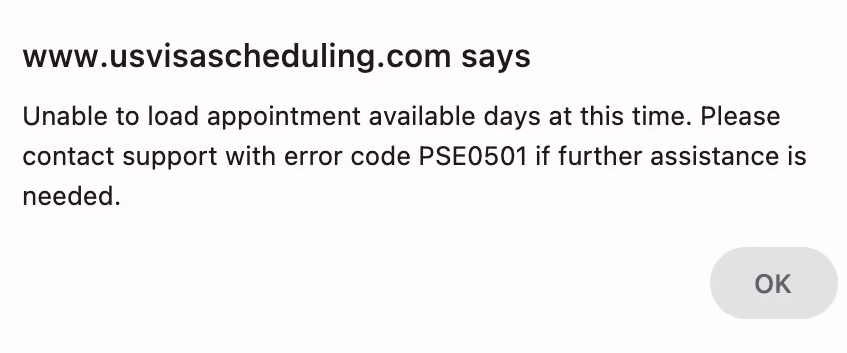
You pick a city on the US visa scheduling site (usvisascheduling.com) to check dates, and this pops up:
Unable to load appointment available days at this time. Please contact support with error code PSE0501 if further assistance is needed.
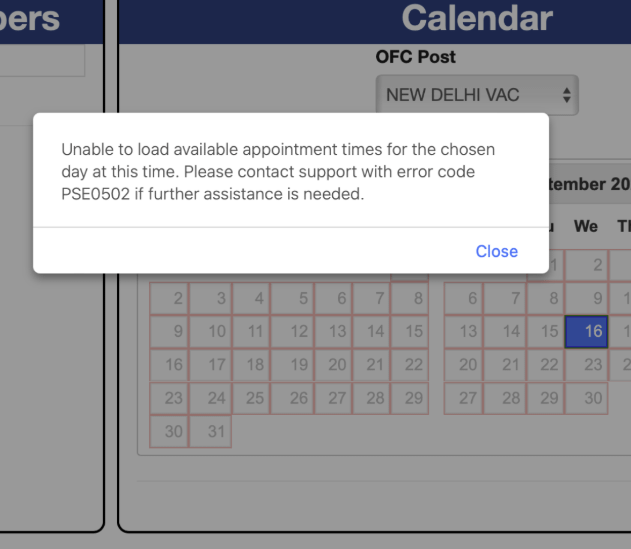
Or the dates do load, you click a day to see the times, and you get:
Unable to load available appointment times for the chosen day at this time. Please contact support with error code PSE0502 if further assistance is needed.
If you use the site in Chinese, the same pop-up appears in Chinese with the same code, PSE0502.
Key Point: PSE0501 and PSE0502 both mean "this request didn't load." They do not mean there are no slots, and they do not mean your account is blocked. When there are no slots, the page simply shows "No Slots Available." Most of the time a single reload gets you through – the trick is to reload the right way so you don't make things worse.
What's the Difference Between PSE0501 and PSE0502?
| Error code | When it appears | What failed to load |
|---|---|---|
| PSE0501 | After you select a city (Consular Post / OFC Post) | The available dates for that city |
| PSE0502 | After you click a date on the calendar | The available times for that day |
| PSE0504 | After you submit a time slot | The booking itself – see PSE0504: causes and fixes |
All of these codes are shown by the scheduling page when a request fails; the message itself doesn't say why. Based on what we've observed, these are the usual causes.
Cause 1: The Page Sat Idle Too Long
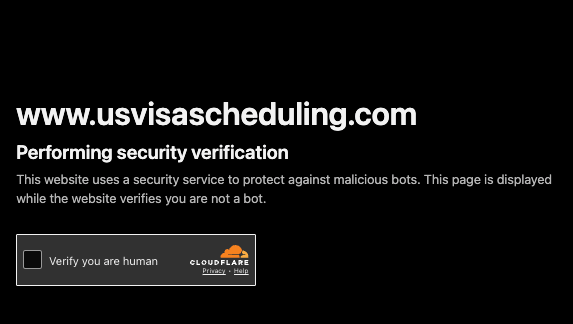
usvisascheduling sits behind a Cloudflare security check. Once the page has been open for more than ten-odd minutes, that check expires, and the next time you select a city or click a date the request fails with PSE0501 or PSE0502.
This is why so many people say "I left the page open, came back, clicked, got PSE0501 – and the retry worked."
A trick that works: don't refresh the scheduling page. Open a new browser tab and load the usvisascheduling home page. You'll get the "Verify you are human" checkbox – tick it to pass the check. Then switch back to your original scheduling tab and select the city again; the dates should load normally. This doesn't use up any of your daily scheduling-page views.
Cause 2: Your Login Session Has Expired
About an hour after you log in to usvisascheduling, your session expires – whether or not you've been active. After that, date lookups fail too. If you've been logged in for more than an hour, the simplest fix is to log in again.
Cause 3: Peak Traffic – Your Request Is Waiting in Line
Around slot releases, lots of people are checking at once and the site slows down noticeably. After you select a city, the calendar may keep showing Loading... – your request is actually queued and usually comes back within a minute or two. If it waits too long, it can turn into PSE0501.
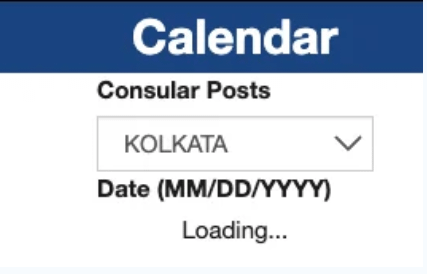
At times like this, the worst thing you can do is keep refreshing or switching cities: it won't be any faster, it sends your request back to the end of the line, and if you overdo it you may get rate-limited.
Cause 4: Site Maintenance or Network Problems
Maintenance, an outage on the site, or a drop in your own connection will all make requests fail. These usually hit many people at once – you'll see lots of reports in visa groups at the same time – and the only fix is to wait until it recovers.
How to Fix PSE0501 and PSE0502 (Step by Step)
- Close the pop-up and select the city again on the same page. For PSE0502, reselect the city and then click the date again. This reloads only the dates and times, without refreshing the whole page.
- If it's stuck on Loading, wait a minute or two instead of refreshing.
- If the page has been open for more than ten-odd minutes, open the home page in a new tab and pass the human check, then go back to the scheduling tab and reselect the city.
- Still failing? Go back to the home page and re-enter the scheduling page.
- Logged in for more than an hour? Log in again.
- Don't keep fully reloading the scheduling page. Each account can only open the scheduling page a limited number of times per day. Do it too often and you'll see "You have exceeded the limit for viewing this page," and you won't be able to see the calendar again that day. See Exceeded the limit for viewing this page – what to do.
Getting PSE0501 Every Time, for Days?
If it isn't a one-off – you get PSE0501 every time, at any hour, for days (one Indian student reported this for two months straight) – it's probably not your network or a queue. Something with your account or application status is more likely:
- Check that your visa fee is paid and every step of the application is complete. An incomplete application may show SGA10 on the calendar page – see What the SGA10 error means.
- Check whether your visa fee has expired. On Reddit, an applicant in India whose fee had been paid more than a year earlier got PSE0501 on every date lookup once it expired, together with RCE13.
- Try a different city to see whether the problem is limited to one location.
- Contact usvisascheduling support with screenshots.
Stop Babysitting the Page – Let LuckyBee Watch for You
When you check by hand, most of your time goes to load failures, human checks and expired sessions, and it's easy to miss the moment slots actually open. LuckyBee's expedite service supports the usvisascheduling (CGI) system:
- 24/7 automatic monitoring of the cities and dates you choose – expired checks and sessions are handled automatically;
- When a matching slot appears, it's booked immediately and you're notified within 1–10 minutes;
- You don't have to keep opening the scheduling page yourself, so you won't burn through your daily views;
- Pay only after you're booked – no booking, no charge.
FAQ
Q: Does PSE0501 mean there are no slots in that city? A: No. PSE0501 means the dates failed to load; it has nothing to do with availability. When there really are no slots, the page shows "No Slots Available."
Q: Will refreshing the page after PSE0501 help? A: No. Selecting the city again on the same page reloads the dates – there's no need to refresh the whole page. If the page sat idle too long, open the home page in a new tab, pass the human check, then return to the original page and reselect the city. Frequent full-page refreshes use up your daily scheduling-page views and can trigger rate limiting.
Q: The calendar is stuck on "Loading..." – what should I do? A: Usually your request is queued during peak traffic and comes back within a minute or two. Be patient and don't keep refreshing or switching cities.
Q: After PSE0502, is that day's slot still there? A: Not necessarily. PSE0502 only means the times didn't load. Close the pop-up, reselect the city and click that day again – if slots remain, the times will show normally.
Q: Can getting PSE0501 repeatedly get my account blocked? A: The error itself won't. But refreshing and clicking heavily in a short time to get past it can trigger rate limiting or access restrictions.