
"What time are slots released?" "Any slots today?" Someone asks this in every US visa group, every single day.
Key Point: usvisascheduling (the US visa appointment system used in India, Pakistan, the UAE, China and other countries) has no fixed release time. Slots come from only two sources:
- Bulk releases by the embassy or consulate: released at irregular times during working hours on working days, with no advance notice;
- Slots freed up by other people's cancellations: these can pop up one by one at any time, including nights and weekends.
The "slots drop at X o'clock every day" claims you see online are coincidences from a particular stretch of time – don't rely on them.
Type 1: Bulk Releases by the Consulate
- When: during the consulate's working days and working hours – but which day and what time is never fixed.
- How many: anywhere from dozens to hundreds of slots at once, sometimes near-term dates, sometimes dates months away.
- How long they last: most are gone within minutes. Many people see "a calendar full of open dates, but every submission errors out," because hundreds or thousands of people are trying to book at the same moment. See PSE0504: causes and fixes.
Type 2: Cancelled and Returned Slots
- Where they come from: when someone reschedules or cancels, their slot goes back into the system. In two-step countries such as India, people who booked an OFC (biometrics) appointment but didn't manage to book the interview also release their OFC slot back.
- When: any time of day, on weekdays and weekends alike.
- How many: usually one or two at a time, scattered.
- How long they last: many exist for only a few seconds to a minute or two.
These slots are the main way most people get an earlier date, but they're also the most luck-dependent: you have to be looking at exactly the moment one appears.
Why Do I Always See "No Slots Available"?
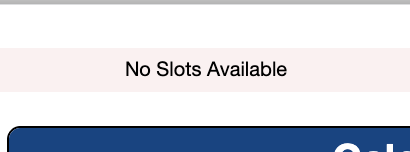
"No Slots Available" only means there were no slots at the moment you checked. There may have been one five seconds earlier, and there may be one five seconds later.
If you only check a few times a day, you'll almost always see No Slots Available – scattered slots appear and disappear between your checks.
Why Do I Get a Slot Alert but Find Nothing When I Log In?
"Slots open!" alerts from Telegram groups and alert apps are only sent after someone else has already seen the slot:
- An alert service reports a slot when someone checking spots it – and the person who found it is already on the page, often booking it first;
- When someone in a group posts "slots available," they've usually booked theirs before posting, which costs a few more minutes;
- Once you get the alert, open the site, log in and reach the scheduling page, at least several tens of seconds have passed – scattered slots are long gone.
So alerts are mostly useful during bulk releases (lots of slots, so some are still left a little later) and almost never catch scattered cancellations.
When the Site Suddenly Slows Down, Lots of People Are Checking
Sometimes after you select a city the calendar keeps showing Loading, and even logging in is slow. That usually means an unusually large number of people are checking at the same time and requests are queued; you'll typically get a result within a minute or two. Don't keep refreshing – see PSE0501 / PSE0502: calendar won't load.
Tips for Booking Manually
- Widen your criteria. The more cities you'll accept and the wider your date range, the more slots you can book.
- Log in early and stay on the scheduling page. Switching cities on the page re-checks the dates – no need to log in again or reload the whole page each time.
- Don't use up your daily views. Each account can only fully load the scheduling page a limited number of times per day; once they're used up, you can't see the calendar that day. See Exceeded the limit for viewing this page.
- Pace yourself – don't click frantically. Checking too fast gets you rate-limited; see Error 1015: You are being rate limited.
- Use each account from one place only. Several people or devices logged into the same account at once can easily get it temporarily blocked; see Login not allowed for your account.
Slots Can Appear Any Time – Nobody Can Watch All Day
Bulk releases come at unpredictable times, cancellations show up day and night, and they vanish within seconds. However diligent you are, checking by hand means missing most of the scattered slots.
LuckyBee's expedite service supports the usvisascheduling (CGI) system:
- Round-the-clock monitoring of your chosen cities and date range – daytime bulk releases and late-night cancellations alike;
- Matching slots are booked immediately, and you're notified within 1–10 minutes;
- You can choose several cities in the same country for more chances;
- Pay only after you're booked – no booking, no charge.
FAQ
Q: Is there a fixed time when US visa slots are released? A: No. Consulates release batches at irregular times during working hours on working days, without notice, and cancelled slots can appear at any time.
Q: Are slots released at night or on weekends? A: Bulk releases by the consulate generally happen during working hours on working days. But cancelled or returned slots don't follow any schedule – they also appear, one or two at a time, at night and on weekends.
Q: How long do released slots stay available? A: Bulk-released slots are usually mostly gone within minutes; scattered cancellations often last only a few seconds to a minute or two.
Q: Is it worth joining a slot alert group? A: It helps somewhat during bulk releases, since there are many slots and some remain a little later. Scattered cancellations appear so briefly that by the time you get the alert and log in, they're usually gone.
Q: How many times a day should I check? A: It's less about how many times and more about whether you're looking when a slot appears. Check too often and you'll be rate-limited or use up your daily views; check too rarely and you'll miss slots. If you need steady, long-term monitoring, an automatic monitoring service can do it for you.