
You pick a date and time on usvisascheduling.com, click submit, and a line appears at the top of the page:
The system is processing too many requests. Please try again.
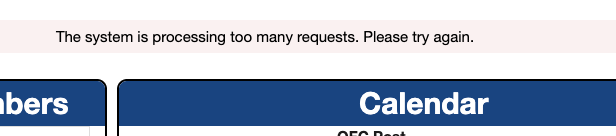
Key Point: It means "the system is handling too many requests and didn't process your booking this time". You are not booked, but your account is fine, and the slot may still be there – retrying right away is the right move.
It's the CGI system's version of "System is busy". If you're on the AIS system used in Canada, Mexico and other countries, you'll see a different message – see AIS "System is busy. Please try again later." explained.
Which Error Did I Get After Submitting?
When you click submit and don't get the appointment, usvisascheduling shows different messages, and each one means something different:
| Message | Meaning | Is the slot still there? | What to do |
|---|---|---|---|
| The system is processing too many requests. Please try again. | The system was too busy to process this submission | Possibly | Resubmit the same time slot right away |
| The selected appointment time is no longer available, please select another appointment time. | Someone else has already booked this time slot | This slot is gone | Pick another time on the same day or another date |
| PSE0504 pop-up: Unable to book the appointment at this time | The submission didn't return a normal result | Unclear | Check Home first to see if you're already booked – see PSE0504 error |

Why Does usvisascheduling Say "Too Many Requests"?
It almost always happens during a slot release. The moment a batch of slots opens, hundreds or thousands of applicants, agents and booking tools submit at the same time. The system can't keep up, so it turns some requests away with this message.
This shows something important: seeing a slot doesn't mean you can book it. If 100 people see 1 slot and all click submit at once, only 1 of them gets it. Everyone else sees "too many requests" or "no longer available" – sometimes just a few hundred milliseconds apart.
Why Do Slots Stay on the Page but Nobody Can Book Them?
There's an even more frustrating version: the same slots stay on the page for ten-plus minutes or even hours, people take turns submitting, every attempt returns "too many requests", and eventually it turns into "no longer available". Reddit users reported this for Hyderabad and Chennai in 2026, and some of them call these "ghost slots".
Applicants in China see the same thing in another form: the page shows 46 or 72 slots left, the number doesn't move for ages, and every submit returns PSE0504.
When this happens, the slots shown on the page aren't necessarily bookable. Submitting for the same slot over and over will only get you rate limited – some people were temporarily blocked for refreshing and submitting repeatedly. You're better off trying other dates, or coming back to Home a little later and re-entering the calendar.
What Should I Do After "Too Many Requests"?
- Resubmit the same time slot once, right away. "Too many requests" means your request wasn't processed, not that the slot is gone – the faster you retry, the better your chance.
- If it turns into "no longer available", switch time slots immediately. Other times on the same day, or the days around it, often still have openings.
- Don't click repeatedly. Submitting and picking dates over and over in a short time triggers the Error 1015 rate limit, and once you're limited you'll have to wait a while before you can get back in. See Error 1015 rate limited on usvisascheduling.
- If it keeps failing, go back to Home and re-enter the calendar. This reloads dates and times so you see the latest availability.
How Can I Improve My Chances During a Slot Release?
- Log in early and stay on the booking page. If you wait for a release alert before logging in, the slots are usually gone by the time you're in.
- Log in from one place only. Using one account on several devices or by several people at once can get it temporarily blocked.
- Widen your options. The more cities and dates you can accept, the more time slots you can choose from, and the less you compete for the same one.
- Don't treat every failure as "no slots". The retry after "too many requests" is often the one that works.
Can't Beat the Crowd? Let LuckyBee Book It
During a release, what counts is being online and reacting fast. LuckyBee Expedite supports the usvisascheduling (CGI) system:
- 24/7 monitoring, submitting the moment new slots or other people's cancellations appear;
- Retries sensibly after "too many requests" and switches to a backup time after "no longer available" – no wild clicking that gets you rate limited;
- Notifies you within 1–10 minutes of booking, and you pay only after you're booked – nothing is charged if we don't get a slot.
FAQ
Q: Does "The system is processing too many requests" mean I got the appointment? A: No. It means the system was too busy and this submission wasn't processed, so your appointment hasn't changed. The slot may still be there – retry right away.
Q: Can this message get my account blocked? A: No, it's only a "system busy" message. But clicking submit over and over in a short time can trigger the Error 1015 rate limit.
Q: What's the difference between "too many requests" and "no longer available"? A: "Too many requests" means the system was busy and didn't process your request – the slot may still be there. "No longer available" means someone else has already booked the time you picked, so you need to choose another one.
Q: What if I keep getting "too many requests" after several retries? A: It means a huge number of people are submitting at that moment. Go back to Home, re-enter the calendar to see which dates and times are still open, and submit for a less popular time slot – your odds are better.